
Permission rules & Claude Code sync
Permission rules decide what Claude Code is allowed to run. Sentinel keeps a rule database that
is the source of truth and mirrors it into Claude Code’s own ~/.claude/settings.json, so the two
never drift.
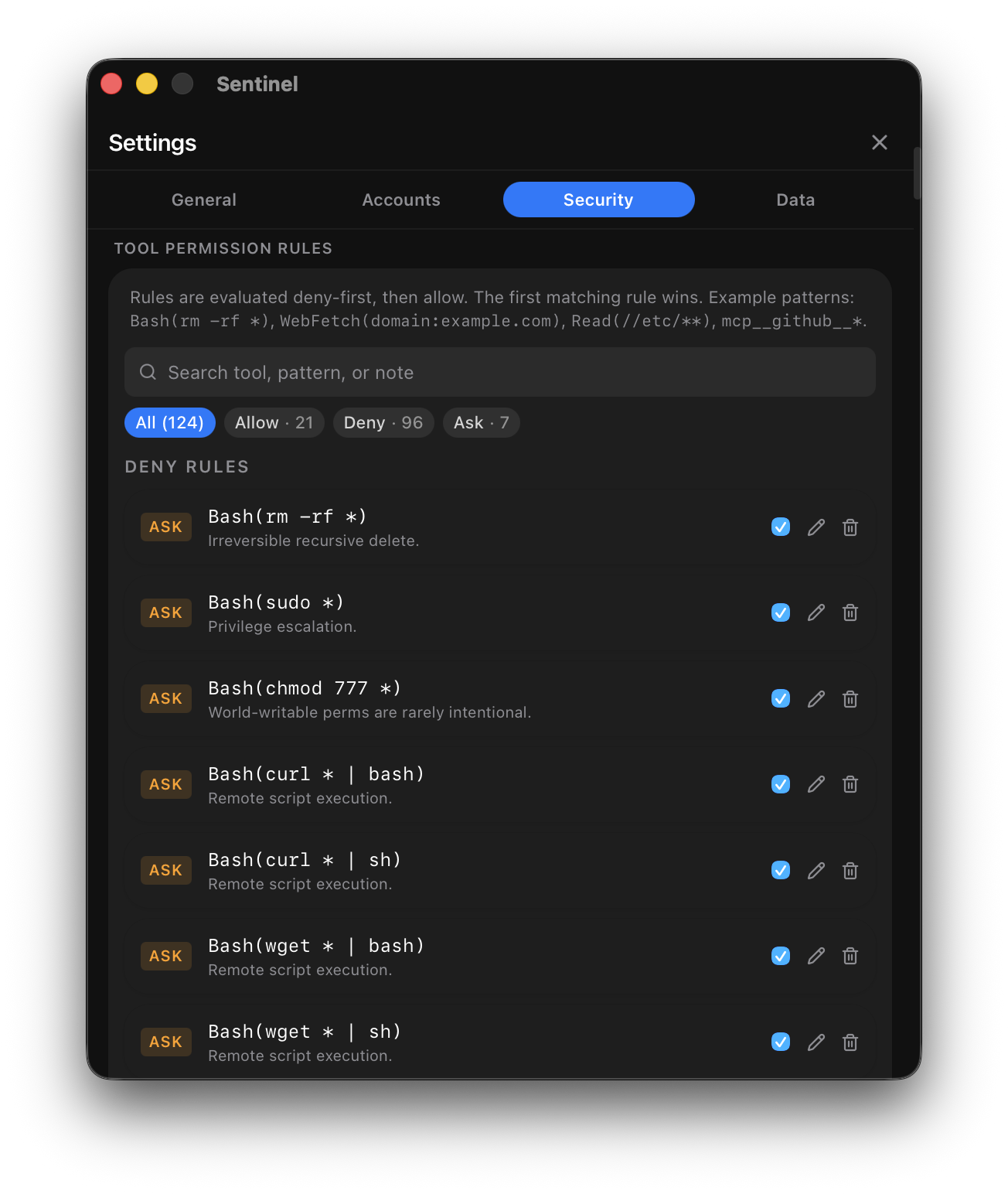
The allow / deny / ask model
Section titled “The allow / deny / ask model”Each rule has a raw text that uniquely identifies it (for example Bash(rm -rf *) or
WebFetch(*.example.com)) and a decision bucket:
- allow — let it run silently.
- deny — block it.
- ask — hold it for approval.
Moving a rule between buckets updates the same rule (keyed on its raw text); it never creates a duplicate.
Syncing with Claude Code
Section titled “Syncing with Claude Code”When Claude Code sync is enabled (claudeCodeSyncEnabled), Sentinel keeps the rule DB and
settings.json in lockstep:
- Push fires after every local change (a UI edit or an IPC mutation). It writes the DB’s
allow/deny state to
settings.json, preserving every non-permissions key already in the file. - Pull fires when the file changes on disk (debounced). It imports the file’s rules, collapses duplicates by raw text, and — when the same raw appears in multiple buckets — applies most-restrictive-wins (deny > ask > allow).
Merge vs import
Section titled “Merge vs import”- Merge mode (default) updates existing rows’ decisions from the file but preserves each rule’s
ownership (
source), so rules you created in the UI keep their UI ownership. Orphan cleanup only removes file-originated rules that disappear from the file. - Import mode (“file wins”) flips ownership to Claude Code on every matched allow/deny rule. This backs the one-time upgrade migration and the Import from Claude Code settings.json button.
You can hand-edit settings.json while the daemon is running — the watcher picks it up, pulls with
merge semantics, then pushes back. The UI is still the better path: it’s atomic and can’t produce
ambiguous states.
Permission bypasses
Section titled “Permission bypasses”Per-account, per-tool bypasses let you exempt specific tool/pattern combinations from rules when you need a temporary escape hatch. These are tracked separately and broadcast to the UI when they change.
Related
Section titled “Related”- Security scanning — content-based detection that complements rule-based permissions.
- Sync permissions with Claude Code — a step-by-step guide.