
Token optimization
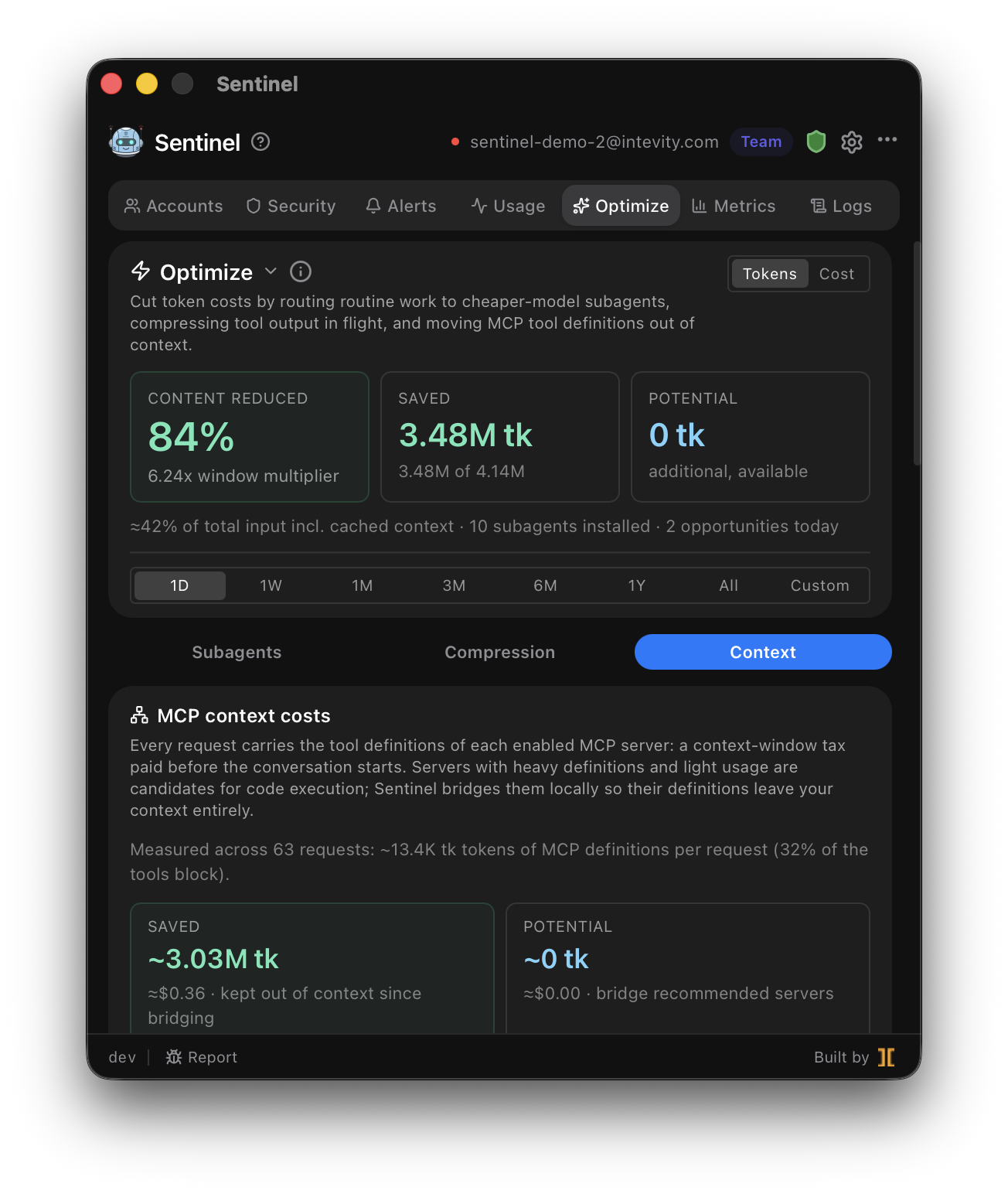
The Optimize tab is Sentinel’s toolkit for cutting the token cost of Claude Code. It works three ways, and shows both realized and potential savings for each so you can see what’s already helping and what’s left on the table.
1. Curated subagents
Section titled “1. Curated subagents”A library of pre-built subagents — most pinned to a cheaper model — that the analyzer recommends
installing into ~/.claude/agents/. Routine work like file reads, log parsing, and test-output
triage then runs on the cheaper model and returns a digest instead of raw output, so your main
context stays small and cheap.
2. Reversible compression
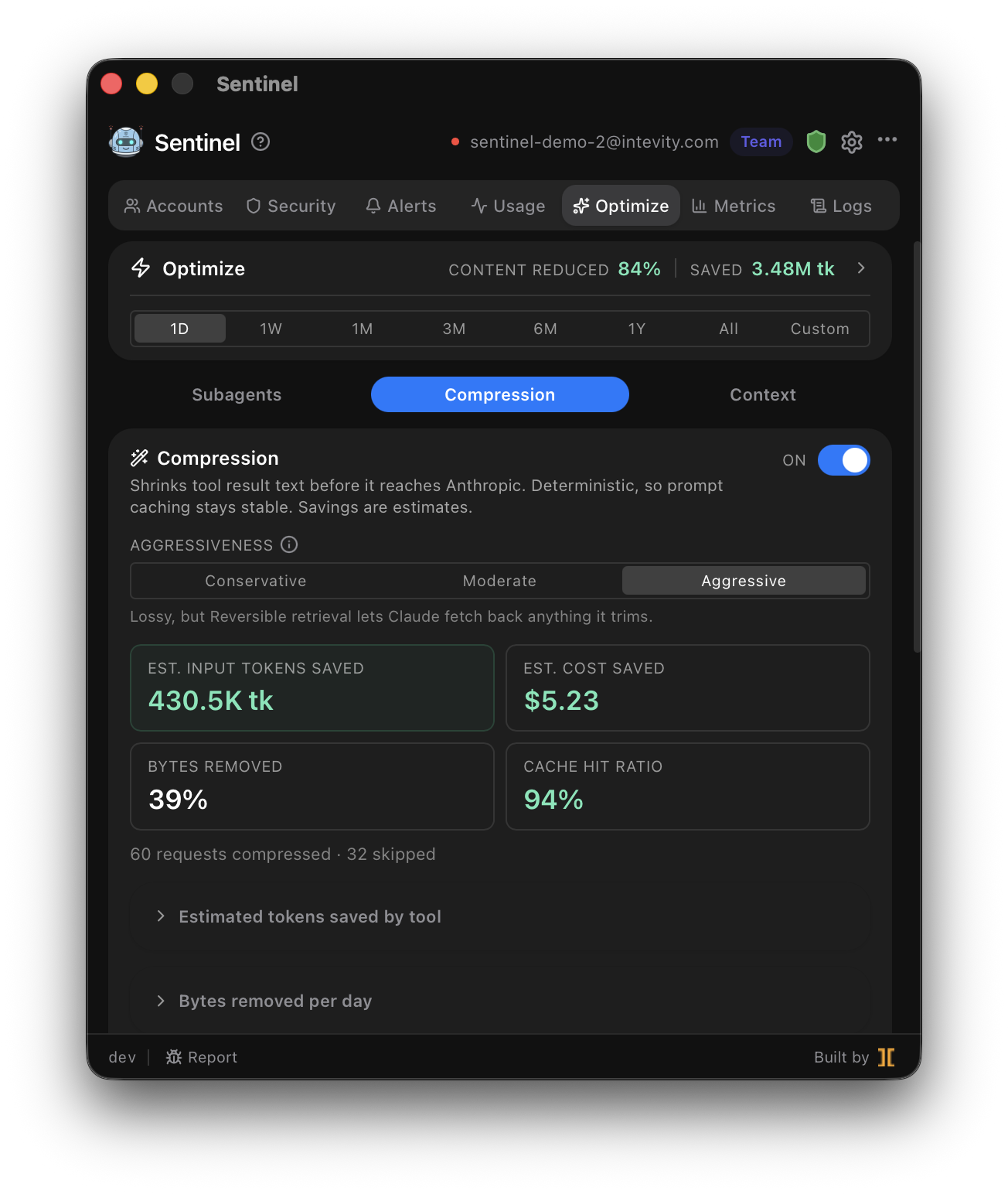
Section titled “2. Reversible compression”Oversized tool_result payloads quietly fill your context window. Sentinel trims them at one of
three levels — Conservative, Moderate, or Aggressive.
3. MCP code execution
Section titled “3. MCP code execution”Your MCP servers’ tool definitions ride along in every request’s context, which adds up fast. Code-execution mode bridges those servers through a loopback endpoint, so their definitions stop being injected into each request. It’s loopback-only, with a per-server allowlist you control.
What bridging changes on disk
Section titled “What bridging changes on disk”Claude Code decides which MCP servers to load by reading its config, so the only way to stop a server’s definitions loading is to take its entry out. When you bridge a server, Sentinel:
- removes that server’s
mcpServersentry from every scope it appears in —~/.claude.json(global and per-project) and any project’s.mcp.json. Bridging a project-scope server therefore edits a file that’s usually committed to your repo, so expect a git diff; - moves the entry’s
envvars and authheadersinto your OS keychain (macOS Keychain, Windows Credential Manager, or the Linux secret store), keeping only non-secret config —command,args,url— in~/.sentinel/settings.json; - keeps everything needed to put it all back, so Switch back to native MCP is a one-click revert.
Rotating credentials for a bridged MCP server
Section titled “Rotating credentials for a bridged MCP server”Because the native entry is gone, editing ~/.claude.json has no effect on a bridged server — and
re-running Switch to code execution won’t help either, since the server is already bridged.
Use Update credentials on the server’s row in the Context tab. It lists the credential fields Sentinel holds, and you replace just the one that changed. Sentinel connects to the server with the new value before saving anything: if the connection fails, nothing is written and your running bridge keeps working on its old credentials. On success it also refreshes the server’s generated tool docs. No Claude Code restart is needed — the next call picks up the new credentials.
Seeing and restarting a bridged server’s process
Section titled “Seeing and restarting a bridged server’s process”A bridged server runs as a real process Sentinel manages. Its row in the Context tab shows the live
state — how long it has been up, its pid, how many tools it listed, and when it was last called — so
a wedged or duplicated server is visible rather than something you have to infer from ps.
Restart stops that process and everything it spawned, starts it again, and refreshes the tool
docs from what the new process reports. Reach for it when a server starts failing in a way that looks
like the server itself: a wedged child, or a stale build behind an unpinned uvx/npx launcher that
resolved its version whenever it happened to start. Nothing else changes — the skill, the config, and
the endpoint are untouched, so no Claude Code restart is needed.
Coding agents can restart a server themselves via POST /code-mode/restart, documented in the
generated skill, so an agent that hits a bad server can recover without waiting for you.
Sentinel also recycles a connection older than four hours on its next use, so a long-running bridge picks up upstream changes on its own.
If a bridged server starts failing, expand the Server reported N messages on stderr line on its row. That’s the server’s own error output — an expired token usually says so in as many words. Secrets are stripped before it’s stored.
Not using code execution? Nothing changes: update the server with claude mcp add or by editing
your config, then restart your Claude Code session. The same applies to a server you turned off with
Sentinel’s Disable button — Enable puts it back, and if you re-added the server yourself in
the meantime, Sentinel keeps your newer entry rather than overwriting it.
Reading the savings
Section titled “Reading the savings”Each technique reports:
- Realized savings — tokens you’ve already avoided spending.
- Potential savings — what you’d save by adopting the analyzer’s remaining recommendations.
Related
Section titled “Related”- Reduce token costs — a walkthrough of the Optimize tab.
- Metrics — measure the impact in real cost and token numbers.