Supported harnesses
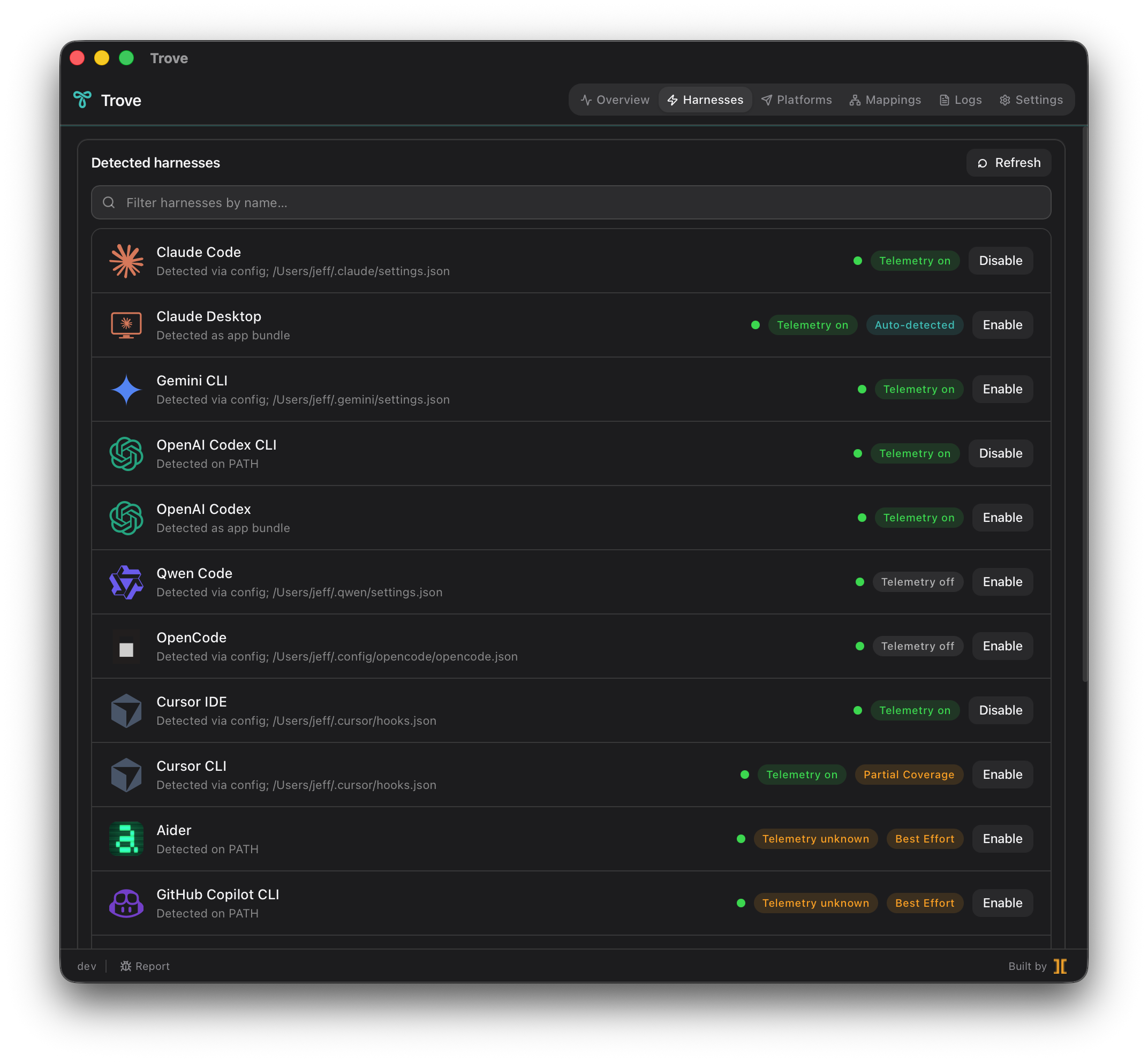
A harness is any AI coding tool that acts as a signal source — a CLI, a desktop app, or an IDE that does AI-assisted work. Trove sweeps the standard install paths for all 17 supported harnesses the moment it launches, surfaces what’s on disk, and lets you enable telemetry per-tool with a single click.
How Trove captures a harness’s telemetry depends on its coverage tier:
- Native OTel — the harness emits OpenTelemetry (OTLP) on its own. Trove just flips the right env vars or config flags and routes the stream through the local collector.
- Partial coverage — the harness exposes only a subset of useful events (for example, shell-exec hooks but not full session traces).
- Best effort — the harness does not emit OTel natively, so Trove installs a lightweight watcher (a filesystem monitor) or a shell-rc wrapper that derives equivalent OTLP records from the tool’s on-disk logs. Derived records share the same queries as their native peers.
- Setup guide — Trove can’t patch the tool automatically yet, but ships step-by-step instructions to point it at the local collector.
Coverage matrix
Section titled “Coverage matrix”| Harness | Coverage tier | Telemetry source |
|---|---|---|
| Claude Code | Native OTel | Built-in OTEL_EXPORTER_OTLP_* env vars |
| Claude Desktop | Native OTel | Auto-detected via local audit log (no setup) |
| Antigravity CLI | Native OTel | Antigravity hooks via ~/.gemini/antigravity-cli/hooks.json |
| OpenAI Codex CLI | Native OTel | Codex 0.130+ [otel.exporter.otlp-http] block |
| OpenAI Codex (desktop) | Native OTel | Shares Codex CLI’s codex app-server backend |
| Qwen Code | Native OTel | Built-in OTel exporter |
| OpenCode | Native OTel | Built-in OTel exporter |
| Cursor IDE | Native OTel | Cursor hooks via ~/.cursor/hooks.json |
| Cursor CLI | Partial coverage | Subset of Cursor hook events (shell exec only) |
| Cline | Best effort | Watcher derives OTLP from Cline’s task records |
| Aider | Best effort | Shell-rc wrapper tees the session log into OTLP |
| GitHub Copilot CLI | Best effort | Shell-rc wrappers around copilot and gh copilot |
| Junie CLI | Setup guide | Setup guide (JetBrains) |
| Droid (factory.ai) | Setup guide | Setup guide |
| Kimi Code CLI | Setup guide | Setup guide |
| Devin | Setup guide | Setup guide |
| ForgeCode | Setup guide | Setup guide |
Tier A vs. Tier B metrics
Section titled “Tier A vs. Tier B metrics”Regardless of how Trove captures a harness, every signal lands in one of two layers:
- Tier A — the normalized cross-harness schema (
trove.harness.events,trove.harness.tokens,trove.harness.cost.usd,trove.harness.turn.duration,trove.harness.errors). This is the cross-vendor comparison layer: cost per turn for Claude Code is directly comparable to cost per turn for Copilot CLI in your own dashboard. - Tier B — the harness’s native metrics, passed through untouched for teams that want the raw, vendor-specific detail.
Every span, metric, and log carries a harness.id resource attribute so you can filter and compare side-by-side in one query.
Enabling a harness
Section titled “Enabling a harness”When you click Enable on a row, Trove writes a sentinel-bracketed managed region into that tool’s config (or installs a watcher/wrapper for best-effort harnesses). The row’s telemetry pill turns green the moment OTLP starts flowing through the local collector — typically within about 5 seconds. One click reverts the change byte-for-byte.