
Supported backends
A backend (also called a platform) is the observability destination Trove forwards your unified telemetry stream to. Trove forwards to any backend that speaks OTLP. Thirteen come with pre-built credential forms; two escape hatches — Generic OTLP and Local Collector passthrough — cover everything else.
Telemetry leaves your machine only toward the backend you configure. Trove never sends your data to a Trove- or Intevity-controlled endpoint. See Privacy & security for the full trust model.
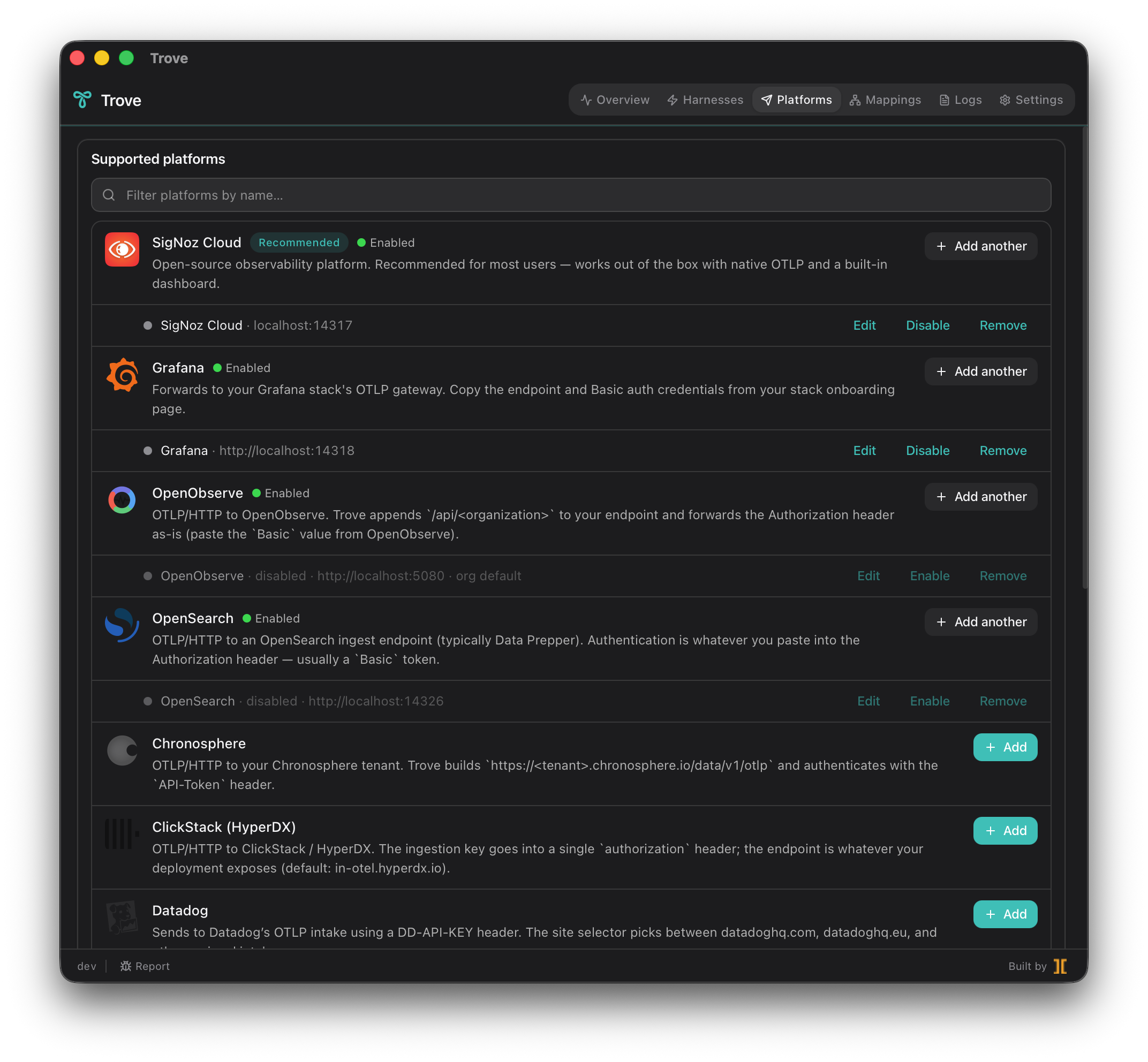
Integration matrix
Section titled “Integration matrix”| Backend | Auth pattern / note |
|---|---|
| SigNoz Cloud (recommended) | Ingestion key over gRPC or HTTP. |
| Grafana Cloud | Endpoint plus Basic auth. |
| Honeycomb | Team API key plus dataset. |
| Datadog | DD-API-KEY header plus site selector. |
| New Relic | License key plus region (US or EU). |
| Splunk Observability Cloud | Realm plus X-SF-Token access token. |
| Dynatrace | Environment URL plus API token. |
| Elastic | OTLP/HTTP plus Authorization: ApiKey. |
| OpenSearch | OTLP routed to Data Prepper. |
| OpenObserve | OTLP plus /api/<organization> path. |
| ClickStack (HyperDX) | OTLP plus ingestion-key header. |
| Chronosphere | Tenant plus API-Token header. |
| Sentry | OTLP/HTTP plus X-Sentry-Auth. |
| Generic OTLP | Arbitrary endpoint plus any header set — for any OTLP backend without a pre-built form. |
| Local Collector (passthrough) | OTLP to your own self-hosted collector — Trove forwards untouched. |
Multi-platform fan-out is the default
Section titled “Multi-platform fan-out is the default”Trove broadcasts every signal to every enabled backend; there is no per-platform routing. Configure SigNoz, Honeycomb, and Generic OTLP all at once, and every harness’s telemetry lands in all three.
Per-platform Disable pauses forwarding without losing credentials; re-enable with one click and the collector picks up where it left off.
Health pills
Section titled “Health pills”Each configured backend carries a 4-color health pill driven by the collector’s own scrape metrics:
- Green — the exporter is sending successfully.
- Amber — sending, but with some recent failures.
- Red — recent errors and no recent successes (for example, stale credentials or a wrong endpoint stuck in retry-limbo).
- Gray — no traffic observed yet in the rolling window.
This surfaces silent data loss the moment an exporter starts dropping traffic — no waiting until you notice your dashboard went quiet. See Troubleshooting for what to do when a pill turns red or amber.
Credentials are stored in your OS keychain
Section titled “Credentials are stored in your OS keychain”Every backend token, API key, and ingest secret lives in the OS keychain (macOS Keychain, Windows Credential Manager, Linux Secret Service) — never in plaintext JSON, never in env files, never logged. Disabling a backend keeps its credential; only Remove clears it.