
The Platforms tab
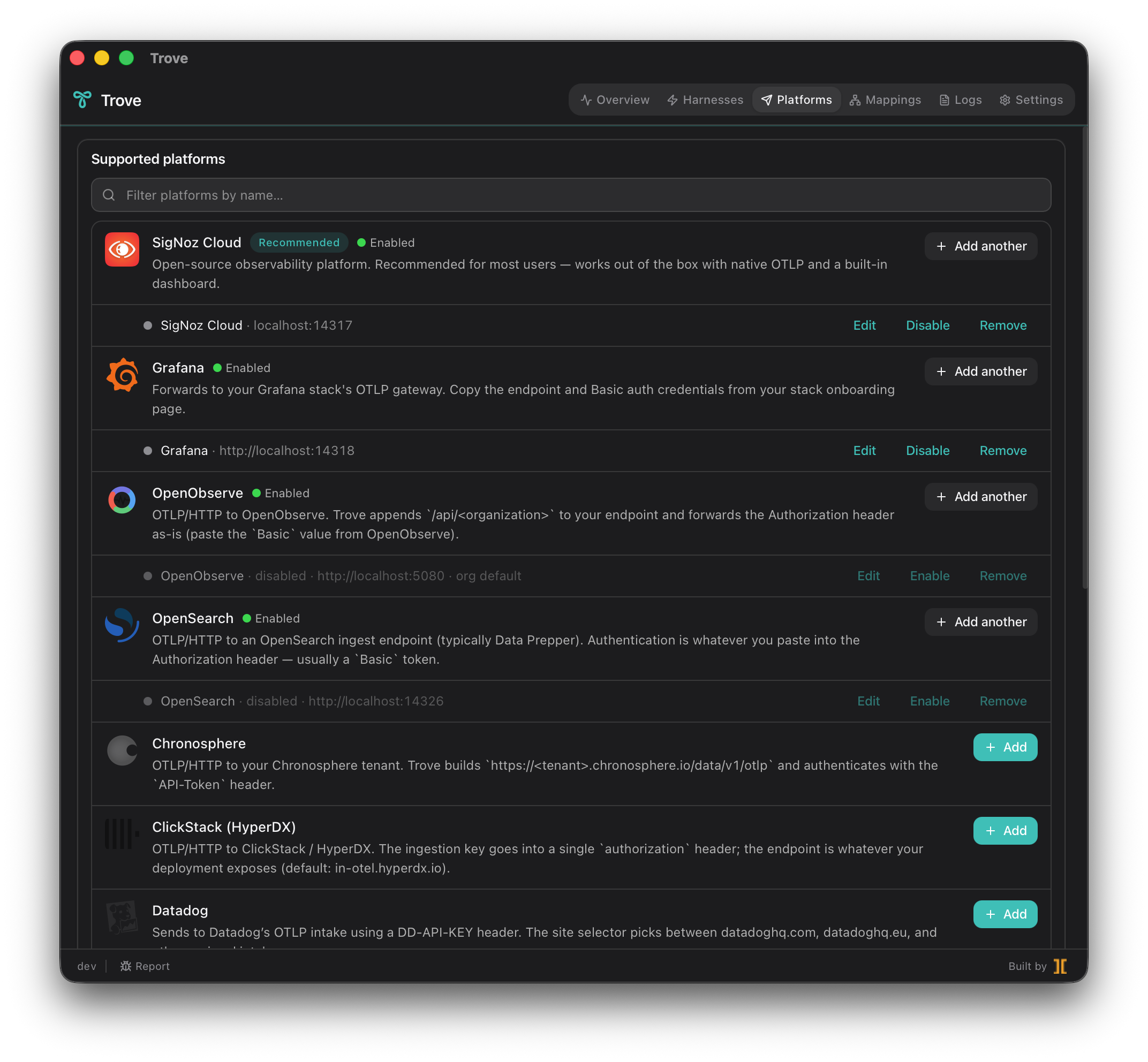
A platform (or backend) is an observability destination — the place your telemetry actually lands. The Platforms tab is where you tell Trove which backends to forward to and how to authenticate to each one. Trove forwards to any backend that speaks OTLP; 15 integrations ship with pre-built credential forms, and two escape hatches cover everything else.
Adding a backend
Section titled “Adding a backend”-
Pick a platform from the list. Thirteen named integrations come with a tailored credential form; Generic OTLP and Local Collector passthrough handle anything not on the list.
-
Fill in the credential form. Each integration asks only for what it needs — an ingestion key, an endpoint, a region selector, or an auth header. The form knows the right shape for that vendor.
-
Save. Trove writes the non-secret configuration to its single
state.json, stores the secret in your OS keychain, regenerates the collector config, and reloads. The backend’s health pill comes alive as soon as the first batch is accepted.
The 15 integrations and their auth patterns:
| Platform | Auth pattern |
|---|---|
| SigNoz Cloud (recommended) | Ingestion key (gRPC or HTTP) |
| Grafana Cloud | Endpoint plus Basic auth |
| Honeycomb | Team API key plus dataset |
| Datadog | DD-API-KEY header plus site selector |
| New Relic | License key plus region (US or EU) |
| Splunk Observability Cloud | Realm plus X-SF-Token access token |
| Dynatrace | Environment URL plus API token |
| Elastic | OTLP/HTTP plus Authorization: ApiKey |
| OpenSearch | OTLP routed to Data Prepper |
| OpenObserve | OTLP plus /api/<organization> path |
| ClickStack (HyperDX) | OTLP plus ingestion key header |
| Chronosphere | Tenant plus API-Token header |
| Sentry | OTLP/HTTP plus X-Sentry-Auth |
| Generic OTLP | Arbitrary endpoint plus any header set |
| Local Collector (passthrough) | OTLP to your own self-hosted collector |
Credentials live in the OS keychain
Section titled “Credentials live in the OS keychain”Trove never writes a backend secret to a plaintext file. When you save a credential, it goes into your operating system’s secret store:
- macOS — Keychain
- Windows — Credential Manager
- Linux — Secret Service
Trove’s state.json holds only the non-secret configuration (which backends
exist, their endpoints, their enabled state); the keys themselves never leave the
keychain. The collector reads them at config-generation time and holds them only
in the config file Trove owns — so your key lives in exactly one place instead of
sprawling across every harness’s config.
Multi-platform fan-out
Section titled “Multi-platform fan-out”Fan-out is the default and only routing model: Trove broadcasts every signal to every enabled platform. There is no per-platform routing to configure. Add SigNoz, Honeycomb, and a Generic OTLP endpoint all at once and every harness’s telemetry lands in all three simultaneously. This is what makes it practical to, say, keep a long-term backend and trial a new one side-by-side without touching any harness.
Per-backend health pills
Section titled “Per-backend health pills”Each configured platform carries a 4-color health pill, driven by the collector’s own scrape metrics and exporter error stream — so silent data loss becomes visible immediately instead of waiting for someone to notice their dashboard went quiet:
| Pill | Meaning |
|---|---|
| Green | Batches are being accepted; the exporter is healthy (pulses on activity). |
| Amber | Sending, but with recent failures — degraded, not dead. |
| Red | Recent errors and no recent successes (e.g. wrong endpoint, stale credential, or the backend is down). |
| Gray | Idle — no traffic sent in the current window (nothing wrong, just quiet). |
Clicking a backend row expands an inline detail panel with the last error string and rolling 60-second window counters, so a red pill tells you not just that something broke but what.
Disable vs Remove
Section titled “Disable vs Remove”Two different actions, for two different intents:
- Disable pauses forwarding to that backend without losing its credentials. The keychain entry and configuration stay put; re-enable with one click and the collector picks up where it left off. Use this to mute a noisy or temporarily-down destination.
- Remove deletes the backend entirely, including its keychain credential. Use this when you’re done with a destination for good.