
Send to multiple backends at once
You don’t have to pick one backend. Trove can forward the same normalized stream to several destinations at once — useful when finance watches one tool, the platform team watches another, you’re migrating from one vendor to the next, or you want a local collector for debugging alongside a cloud backend for the real dashboards.
Under the hood the bundled collector simply gets one exporter per configured backend, fed from the same pipeline. Each destination forwards independently and reports its own health, so one slow or broken backend never blocks the others.
Add a second (or third) backend
Section titled “Add a second (or third) backend”-
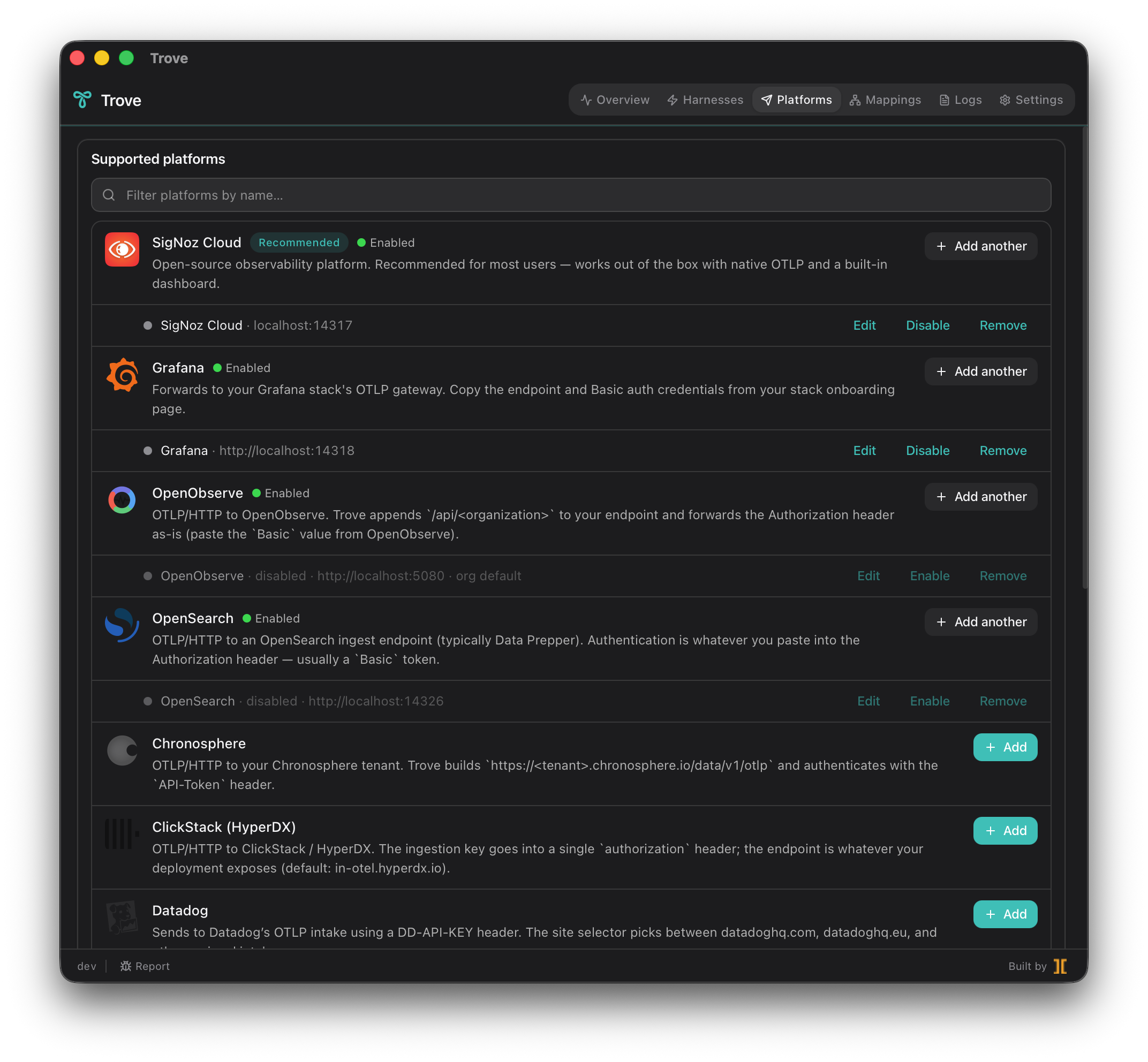
Open the Platforms tab. You’ll see the backend you already connected, with its health pill.
-
Add another backend exactly as you did the first: choose the preset, enter its OTLP endpoint, and paste its ingest credential. Each credential goes into the OS keychain on its own — they don’t share storage and one never overwrites another.
-
Save. Trove regenerates
collector.yamlwith an additional exporter and reloads the collector once (a brief 1–3 second blip). Every enabled harness now fans out to all configured destinations without any per-harness change. -
Repeat for as many backends as you need. The harnesses don’t know or care how many destinations exist — they emit once to the local collector, and the collector handles the fan-out.
Each backend has its own health
Section titled “Each backend has its own health”Fan-out makes per-destination health essential — without it, one silently failing exporter hides behind the others. Trove gives every backend row its own pill so a single broken destination is visible even while the rest keep flowing:
- Green — this destination is accepting batches.
- Amber — mixed success and failure for this destination.
- Red — this destination has a recent error and no recent successes (a wrong endpoint or stale credential stuck in retry), even though other backends are green.
- Gray — nothing sent here yet.
Click any row to expand its 60-second window counters and last error string. This is how you catch the case where, say, your Datadog exporter is fine but your self-hosted SigNoz container went down — the tray icon stays green because other destinations still receive, but that one row turns red.
Pause a backend without losing its credentials
Section titled “Pause a backend without losing its credentials”Sometimes you want to stop sending to a destination temporarily — during maintenance, a vendor incident, or while you’re testing — without re-entering its ingest key later.
-
On the Platforms tab, disable the backend you want to pause.
-
Trove removes that destination’s exporter from the regenerated collector config and reloads. Telemetry stops flowing there immediately; every other backend keeps receiving uninterrupted.
-
The backend’s credential stays in the OS keychain — disabling a destination pauses forwarding, it doesn’t forget the secret. Your endpoint and settings are preserved too.
-
When you’re ready, re-enable the backend. Trove restores its exporter from the saved config and stored credential, reloads once, and the destination’s health pill climbs back to green. No re-entering keys.
Good to know
Section titled “Good to know”- One emit, many destinations. Harnesses always emit once, to the local collector. Fan-out happens collector-side, so adding a backend never touches a single harness config.
- Still localhost-only. No matter how many destinations you add, the
collector binds to
127.0.0.1and forwards only to the endpoints you configured. Adding backends doesn’t widen what Trove listens on. - Independent failure. A red destination doesn’t drop data for the green ones; each exporter has its own retry queue.